
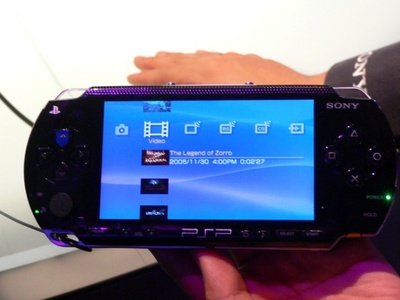
For a while you could play nearly any PSP game on a hacked firmware. Within the past few years there have been new games that have required updated firmware in order to play. Even if you had a hacked firmware, you could not play these new games. It has always been a game of cat and mouse between Sony and the hacked warez scene, but the pace has quickened recently.
Some users have upgraded from M33 to Gen-D (or Gen-D2) in order to play some of the more recent PSP games. The latest one was Dante’s Inferno, which would not play even on the most recent hacked firmware. If you can’t upgrade your firmware, then you can patch the game to work with your existing one.
Previously people have used UMDGen 4.0 in order to patch games, but this required not only a PC and the image file, but that you know what you’re doing. One way to patch your games to work with M33 or Gen-D is called Eboot Exchange, and it works completely on the PSP with no PC required.
1. To start, download Eboot Exchange 2.8 here.
2. Extract the program, and then copy the folder (ebt_exchange) to X:\PSP\GAME (of course replace X with the drive letter to which your PSP has been mapped).
3. On your PSP, navigate to Games, and then select Eboot Exchange
4. This program has several options. The interface is completely text-based and is pretty simple, as soon as you understand how to change the options. By default the program has “no backup” and “no patch” modes enabled. You need to change these by pressing the Start button, which toggles these two options. Keep pressing Start until you see “backup mode” and “patch mode” modes enabled.
5. By default the program should be looking at ms0:/ISO/, which is where your image files should be located. You can use the D-pad to navigate to different directories, if you need to change this. Press the right or left shoulder buttons to toggle through the files in the set directory until you see the image file you wish to patch… in this case Dantes_Inferno.ISO
6. Press Triangle to patch the game.
7. Once this is done, press X to exit back to the PSP’s main menu.
8. Enjoy your newly patched game.
This has worked every time whenever I have encountered a game that gives the mysterious “The game could not be started” message when using a custom firmware.

34 comments
what do you men by (replace X with the drive letter to which your PSP has been mapped)?
I have a PSP3000. Will that work for me? :-(
um, whenever i press start it doesnt change to backup mode and patch mode enabled please help? thx
it worked but when i change with another memory stick then when i put back it became corrupted pls help! thanx in advance!
Hey all!
Me using psp2000 with 5.50 gen b(full) firmware.
Can it work for me too??
Please please pleaasssseeee…so many answer dont fit to me..
want to play 6.20 games!! argh!!!!
felt scared to try it! :-(.. .. .
I have a problem when I am installing the patch. My PSP is like stuck. An idea someone ?
Great! I did it and it worked perfectly.
i'm getting stuck at "write back up file" and I can see that the orange led on the left side of the psp is blinking which means that it's loading does the process take that long?
Thank you so much!!!!Simply genius
It's really work, thanks man, you're really great
thx… it works perfectly
ure a genius bro!!! THX a lot!
hey thanks very much! dantes inferno finally worked i thought i would never play that game! and know i can also play other new games! thanks man and gud job
thank you so much…u are genious
The conversion of a battery to a Pandora battery through software is called Soft Modification or Soft Mod. This process requires the utilization of an existing homebrew enabled PSP and a homebrew technique to reflash the battery. Probably the most well-liked hacks is called 'Hellcat's Pandora Installer'. This technique is accessible at most software sharing websites. It is really intriguing as it not merely enables the making of magic memory sticks, but also helps in unbricking the Play Station.
man u r great it works for me thankx man
why do my psp turns off everytime i run the eboot? pls help.
Thanks! This is Great!
Hopefully this will be useful with future games.
It worked great but if you are using GenD2 then you need to go to the vsh menu and make sure its on m33 for the UMD Mode and not the Sony NP9660. I tried that and after pressing Start a few times to change the patch and backup mode the program would freeze on me. So I changed the umd mode in vsh to M33 Driver and just to be safe set the cpu and xmd speed to default, then I ran the program again and it worked perfectly, only took a few minutes :) Thanks so much.
what will i do if the game says "The game could not be started"??
thnx ur da best
thanks so much now i can play all the games that did not run befor :)
Thx u so much it works perfectly THX THX THX
This is a sweet patch. Thx.
Thanks so much for the info ! :D
Yes, the ISO remains patched. Once patched I copy the file back to my PC for archiving.
Question: does the iso remain patched? so if i copy it to pc to store and some day back to psp i have to patch it again?
thx
Thanks for the post! People are crazy for not using more Pad submissions.
Thank you very much! Works great!
OMG! it workS!!!! GENIUS!!!!
Dude thanks a lot! It worked perfectly.
The patch worked perfectly …thanx a lot man :D
Thank you very much! this work perfectly :)
Comments are closed.